# IV Curve Scan
IV Curve Scan is scanning PV modules to identify the failed ones. This can save the amount of power caused by module failure, improving the efficiency of power generation.
SolaXCloud issues a command to an inverter. The inverter transmits the scanning result to SolaXCloud. It draws, displays and stores iv curves according to the result; learns based on the big data model; and further analyzes the reason for module failure.
# Create Scan Task
To create a scan task, do as follows:
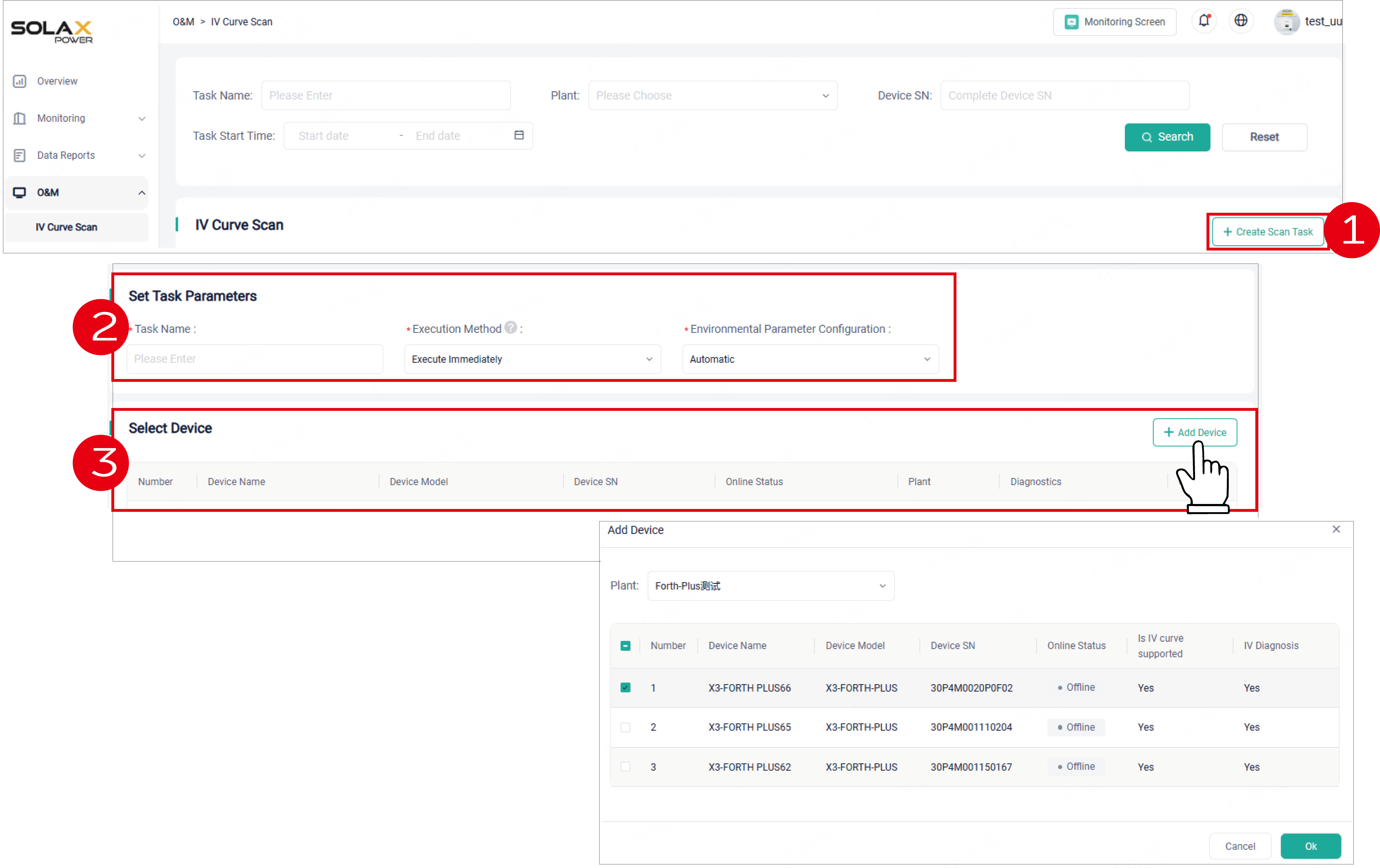
- Click + Create Scan Task.
- Set task parameters, including task name, execution method, and environmental parameters.
- Select device. Click + Add Device. Specify a plant and device from the pop-up window. Finally, click Confirm.
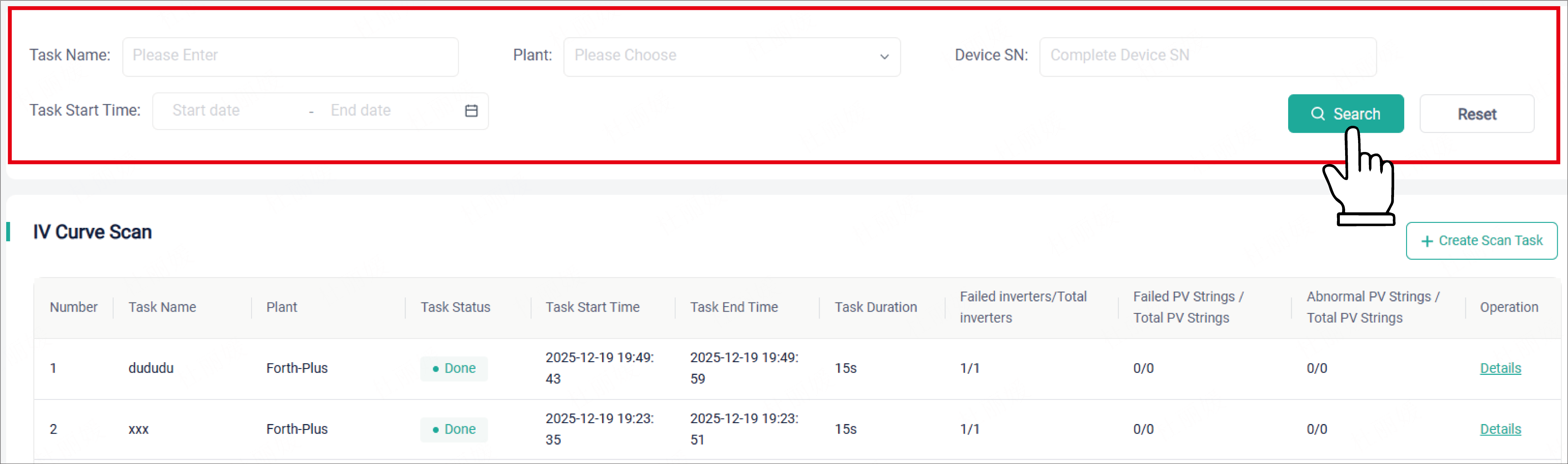
- After the task is executed, the task will be automatically shown in the IV Curve Scan list. With a click of Details in the Operation column, you can view the scanning result.

# Search for Scan Data
If you want to the historical scanning data, search it by criteria.